Showing posts with label TrafficControl. Show all posts

Saturday, 15 April 2023

TrafficControl: Bind Python into Program, or Port Scripts to Code?

Currently my program expects the user to have python installed on his/her computer. This will be a severe blocker for any portability and I will need to handle this, either by binding Python into C++ or porting the scripts into C++ code. 

Binding:

Advantages: I would be able to use the existing code

Disadvantages: The binaries may be bigger and that will be a disadvantage when deploying on web assembly

Porting:

Advantages with porting to C++: Everything will be in C++

Disadvantage: Porting the application to C++ may be time consuming.

For now, I'll try porting the code to C++/Qt/Regular expressions.

Legacy Code:

The program creates a shell process that starts python.exe (hard coded for Windows), with a hard coded path to the script. 

In my last commit, I added code to src/networkDesigner.cpp. For the XML/QML handling, I used some code that I found at stack overflow.

This change isn't visible but it is a big step towards Web Assembly.


Friday, 30 December 2022

TrafficControl: Exploring Qt WebAssembly

I've seen that it is possible to create executables that can be run from within a web browser. This is very interesting for my pet project Traffic Control and I'll spend some time exploring this.

What is web assembly and why bother?


Desktop applications are a bit inconvenient for the end user. He/she needs to find an installation package that goes with the particular operating system - that requires some competence and also some administrator rights. Further, there is a risk of viruses. After using the software, the software lies on the computer until removed. It will take quite a bit of persuation to make people install my software. 

With a Web Assembly app, it is different. The program will be linked from a simple web page that loads the executable to a sandboxed environment inside the web browser the user is using. This will be independent on the hardware architecture and operating system. No installation and no cleanup.

Qt supports web assembly - this is the key point of Qt: that it is a programming framework that can be used for different platforms. If I'm able to port TrafficControl to web assembly and deploy on a web server, the program will be able to run from any connected device with one of the bigger web browsers.

What would that mean for me? 

For me, the program would be deployable to any unit that runs one of the major web browsers. To deploy the software, I would need to set up a web server, or use an existing platform that hosts the binary. 

Traffic Control would need some refactoring:

  • The program depends on python for converting files. That needs to be in C++
  • I need to consider how to access local files and examples
  • I need to look into the user interface - should I migrate to QML for all user interface?

Step-by-step

  1. Install an updated Python version and Emscripten 
  2. Setup environment for Qt Web Assembly
    1. Specify C and C++ compiler
    2. Other settings?
  3.  Configure for simple C++/QML application - QML Demo
    1. Download from GitHub
    2. Compile for desktop
    3. Compile for Qt Web Assembly
    4. Open in Web Assembly
  4. Adopt TrafficControl to WebAssembly
    1. Find out how to store the TNF/TNM/TNO files when using webAssembly? Initially, use read-only and disable the conversion features?
    2. Handle loading of traffic network files
    3. Port the conversion from KML to Traffic Map File/Traffic Network file to either
      1. Python in-project code, or
      2. C++ Code
  5. Deploy application on web server

Emscripten is used for compiling to webAssembly and it is based on Python and needs a late Python version. Installing Python is straight forward. 

I installed Emscripten from the git repo:

Yes, I'm using a screen shot.
If you're copying commands, you'd better copy from the formal documentation.
As I'm using Qt 5.15.2, I need to install the corresponding Emscripten version (1.39.8) and activate it permanently (use the same version for each instance:


However, after activating emsdk, the python path is missing. I found out that I need to run the shell as an administrator.

In Qt, I currently use the auto-detected "Local PC" as a target for the binaries. I added a web assembly device where I pointed to the Emscripten folder.


Once the device is configured, I need to set up a kit for the compilation. 

Finally, I specified that the project should have the web assembly option in the "Projects" tab.

This time, I used an old QML demo project that I have on my Github account. In that project, I explored some basic QML features and how to interact from C++. 

During the build process, I saw a warning - my installation of Qt was actually built with Emscripten 1.39.7, not 1.39.8 as the documentation said. The build was still successful.

After the build was completed, I started it by loading the local web site:
There it is! A C++/QML application that is running inside a web browser. The html page can be embedded into another web page on a web server. For my simple QML application, the binary used ~20 MB for the release build and ~27 MB for the debug build.

In the next blog post, I'll explore if it is possible to port TrafficControl to web assembly. For Qt 5.15.2, Qt Location seems not to be supported for web assembly. For Qt6, QtLocation and QtPositioning didn't work out of the box, maybe it is possible to find a workaround.


Friday, 23 December 2022

TrafficControl: Doxygen

In order to get a better understanding of the code structure of my project TrafficControl, I need to use Doxygen.

Doxygen is one of the most popular tools for documenting source code. The developer adds Doxygen-style comments to the source. When Doxygen analyses the code, it uses the structure along with the comments to generate a set of files with an overview of the program, and the relations.

Step 1 - Select how to use Doxygen

At first, I wanted to integrate Doxygen into Qt Creator. After digging into how to do it, it seemed to be quite difficult. I would either need to find pre-compiled binaries that matches my system and my Qt installation, or recompile Qt Creator. I tried to follow the video below, but the URL they used was broken.


I'm not the only one to pay too little attention to my pet projects.

Instead, I installed the program on my computer from the Doxygen web site. I also installed GraphViz for creating graphs - that will be useful for getting an overview of my code.

Step 2 - Configuring Doxygen

The next step was to use an appropriate set of parameters for my project. The most important ones are listed below:
  • QT_AUTOBRIEF           = YES - Assume that the first line of the class descriptor to be the brief description.
  • EXTRACT_ALL            = YES - Assume all entities to be documented. Maybe not needed?
  • EXTRACT_PRIVATE    = YES
  • EXTRACT_PRIV_VIRTUAL = YES
  • EXTRACT_STATIC      = YES
  • EXTRACT_LOCAL_METHODS = YES 
  • INPUT          = C:/Users/gusta/GIT/trafficControl-dev/src \ - All folders to be documented. IMPORTANT!
  •                          C:/Users/gusta/GIT/trafficControl-dev/inc \
  •                          C:/Users/gusta/GIT/trafficControl-dev/test
  • RECURSIVE                  = YES - Include sub directories
  • HAVE_DOT                    = YES - Use Dot tool from GraphVix to generate graphs - IMPORTANT!
  • UML_LOOK                   = YES - Make graphs look more like UML
  • DOT_UML_DETAILS    = YES - Add bytes and info to UML graphs
  • CALL_GRAPH               = YES
  • CALLER_GRAPH          = YES
  • DOT_PATH                     = C:/Program Files/Graphviz/bin

Step 3 - Insights from Doxygen

My first insight is that there is lot's of more to learn about Doxygen, and that it will be useful to check the relations between different parts of my program. Listing everything will be too exhaustive for a blog post, and I don't know yet know how to publish Doxygen output in a reasonable way. 

I'll show some examples of the graphs below:
Train::move() will call different functions depending on the current state.


A lot of functions are calling NetworkControl::parseCmd()
A lot of functions are calling parseCmd. This means that bugs that are introduced hwere will have a huge impact - extensive testing will be needed.

Saturday, 17 December 2022

TrafficControl: Migrating Back to QtTest

After seeing new strange issues with all test cases, (compilation issues, I guess that it was a mismatch in compilation for the test files), I've decided to try moving back to QtTest for my project. 

I had some issues with Qt's Meta Object Compiler, but after a while I got that working (the name of the moc file must match the source file).

It took me several hours to refine the test cases, and I saw that I could merge several test cases to one. For example, some test cases check parameters after initialization, and there is no reason to have several test cases for that. I was also able to simplify the syntax and use the command parser.


The next step will be to use Doxygen for my code. I need to get a better overview of the structure, and I think Doxygen will be the best tool for it. 

Saturday, 1 October 2022

Qt: Upgrading from Qt 5.12.2 to Qt 6.3

After a couple of years exploring Machine Learning, IoT and Python, I'll return to TrafficControl. The current version of my project is Qt 5.12 - more than three years old. 

Upgrading from Qt 5.12 to Qt 6.3.2 seems to be easier said than done. It is recommended to start upgrading to Qt 5.15 and after that upgrading to Qt 6.3.2.

The steps for this project are:

Build and test the program as it is, with the installed version of Qt. 

There are sometimes changes to external services, such as map provider. I may also have done changes that I forgot about several years ago. 

Further, my antivirus program scans the binary that I compile, and that takes some time.

https://forum.qt.io/topic/90617/avast-alarm-to-qt-5-10-1-static-build/4

I solved the issue by adding an exception to the anti virus program. 

Push the current version of the program to GitHub. 

I saw that I had some staged changes that I had to check. After generating an access token, I was finally able to push the changes to GitHub.

Test program for Qt 5.15

The recommended way to port an application from Qt5 to Qt6 is to upgrade to/compile for the latest Qt5 version (Qt 5.15) first, and resolve any issues. After that, one can upgrade to Qt6.

I started with disabling any Qt modules that was deprecated between Qt 5.15 by adding the following line to the pro file:

DEFINES += QT_DISABLE_DEPRECATED_BEFORE=0x050F00

After some minor fixes, I got the program to run and almost all tests to pass.

Upgrade Qt 5.12 to Qt 6.3.2

I used the online installer and I found some strange issues when trying to run the program. 


The issue was that the module QtLocation (a module that is enabling maps on Qt applications) hasn't yet been ported to Qt 6. The work is ongoing and can be tracked here.


This means that I need to postpone the migration to Qt 6 and use Qt 5.15 instead.

Using Qt 5.15 - a new crash

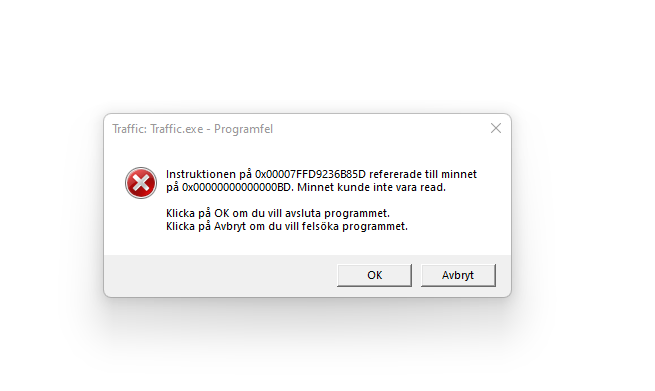
After installing Qt 5.15, I got a software crash when running the application. 

The program worked fine in Qt 5.12 so I assume there are changes in Qt between 5.12 and 5.15 that made my code fail.

My classes trainListModel, stationListModel and trackListModel are Model/View implementations for the network and are used to simplify the data presentation. They all inherit the trafficDataModel, which in turn inherits the QAbstractTableModel, which inherits QAbstractItemModel, which inherits QObject.


There is a flaw when I call the insertRows() function, where the position where I want to add rows is calculated as a number that I just incremented. When changing the position to the actual list of the train/track/stationListModel, the program works fine. 

The next step will be to review the code and push it to GitHub. After that, I'll investigate what to implement next.

Saturday, 5 January 2019

2018 in Retrospect

The last year, I had quite some progress on my projects. A normal week, I spend two hours on coding, two hours on learning and two hours on blogging.

TrafficControl (C++/Qt):
  • I added locks for tracks in order to avoid trains to travel in opposite directions on the same track. I also added red and green circles to visualize the lock status of the tracks.
  • Further, I added an icon to the executable 
  • The Python script that parses the KML map to a network in TrafficControl was modified: Now, it ignores hidden tracks and the tracks/stations doesn't need to be in any specific folder.
  • Improving the model for acceleration of trains
  • User Interface Improvements: I added system load and simulated time to the user interface.
    • Adding buttons for the controls 
    • Adding menus and toolbars
    • Adding a Help menu that points to some Help sections on this blog.
  • NetworkDesigner is a new tool that helps the user design a network
StockReader (Was: C, now: Python):
  • I re-implemented the web scraper in Python. Now, it has only 24 lines of code, including a check of the robots.txt policy.
TravelTimeCalculator (Android/Java):
HouseReader (Python)
I've also started another blog that will discuss society-related issues.

In 2019, I'll make TravelTimeCalculator demo-able. After that, I'll continue with TrafficControl, adding passenger handling.

Saturday, 29 September 2018

TrafficControl: Improving Calculations for Acceleration

Until now. I've had a simplistic model for calculating train speeds. In this blog post, I'll refine it.

The train's desired speed is calculated as:

It is a calculation that does the job by taking the square root of the remaining distance minus the current speed. That function is mixing up the units and must be fixed.

Acceleration of trains are described by the speed-time curve:
  1. Initially, the acceleration is constant
  2. As the air resistance is increasing, the acceleration reduces and the train reaches its maximum speed.
After analysing some videos of accelerating trains, speed-time curves look as below:

I'll approximate the acceleration with a function:

  • A is the rate of acceleration for speeds below C (0.7 m/s2 in the example above)
  • B is the rate of decline of acceleration (0.02 m/s3 in the example)
  • C is the speed at which the decline starts (23 m/s in the example)

The function parameters will be different for different train types.

Retardation is harder to approximate, so I'll assume a constant retardation here.


With a constant rate of acceleration when braking, the braking distance is proportional to the speed squared:
D is a constant with a typical value of 2.

Saturday, 4 August 2018

TrafficControl: Refactoring the KML Parser

Until now, the KML parser (trackStationConnector.py) expected the tracks to be in one folder, stations to be in another one and junctions to be in a third folder. This made it more difficult to use the program.

After the refactoring of the KML parser, the parser doesn't care where the tracks/stations/junctions are.

Placemarks are interpreted as below:

  • A placemark with only one coordinate will be seen as a station or a junction. 
    • If the name of that placemark starts with an uppercase "J" and the second character is also uppercase, that placemark is a junction. Example: "JHyllieS".
    • Otherwise, it is a station. Example: "JerusalemC".
  • A placemark with more than one coordinate is a track. 
    • If the name of the track starts with "d", it is a double track. The parser will create two parrallel tracks. Example: "dLun-Sta" becomes "dLun_Sta_N" and "dLun_Sta_S".

I used regular expressions in the new script. There is some more work with this script and I'll elaborate more about that in future blog posts.


Saturday, 28 July 2018

TrafficControl: Adding a Help Menu to Web Pages

I added a help section on the program, and that was quite easy!

In the user interface form (trafficcontrol.ui), I added an action (actionHelpOverview) in the help menu. That action was connected (SIGNAL/SLOT) to a slot that opens a web page in the default browser in the system.


The existing help pages are quite small - I don't want to have too much text and I want the program to be easy to use without reading too much documentation.

In the next blog post, I'll simplify the Python script that converts KML file to TrafficNetworkMap.

Saturday, 21 July 2018

TrafficControl: Minor Fixes for Network Designer and User Interface

As mentioned earlier, the default path to the network files were hardcoded. This made TrafficControl dependent on having that particular folder on the particular computer, which is bad design. Instead, I used QStandardPaths to make the program look for the files in the user's home directory.


Further, I've modified the code for generating the TNM file. It is possible to select either a KML file, or a Traffic Network Map/File. In the latter case, the file is opened and parsed directly to the text field.

TrafficControl is setting up the UI and has many signal/slot definitions. I moved those to a separate function.

Finally, I deleted some objects in the trafficControl destructor in order to prevent memory leaks.

In the future, I'll need to add tet cases and error handling.

Saturday, 14 July 2018

TrafficControl: NetworkDesigner Class for Designing Networks

Before proceeding with the network designer, I need to plan where to add the new functionality,

One use case will be:
  1. User selects a complex but valid KML file.
  2. The python script trackStationConnector.py converts the file and displays the output on trafficNetworkDescriptionEdit.
  3. If there are issues seen, the program should inform the user
  4. If there are no blocking issues, the user can save the file and/or continue with using the train network that is now loaded.
Initially, I'll assume that the input from the user is correct. I'll add error checks later.


How it's done:
The button for selecting the KML file is associated with the action actionImportKmlFile. That action activates a slot in trafficControl that allows the user to select the KML file to import.


I have separated the code for selecting a file and the code that is opening the file for testability reasons. This way, I'll be able to open files in automated testing.
Here, the file path is hard coded. I need to have a generic default directory, such as the user's home folder.

Once the file is selected, it is opened from networkDesigner:
The program calls the python interpreter on the system, and parses the path to the python script as the first argument and the KML file as the second argument. This approach is very system-dependent and anyone that fetches my GIT repo must adapt this part. I need to fix tis issue in a later blog post.

All output from the python script is saved and parsed to trafficControl::updateTnmTextBox that is setting the text. It also parses the commands to networkControl so that the corresponding elements appears on the map. For testability, this needs to change so that the networkDesigner can communicate directly to networkControl using signals/slots.

Finally, the program saves the contents of the two text fields to one file.

This solution is hardcoded for my system. I need to make it more generic in future versions. Now, the program works only if puthon is installed on the computer, and the python path must be "c:/users/gusbra...".


Saturday, 30 June 2018

TrafficControl: NetworkDesigner - First Step

For this summer, I'll focus on making TrafficControl demonstrable. During the last year, I've made a lot of improvements on the program:
  • I made the map useful, with symbols of tracks, trains and stations.
  • I refined the user interface, adding dock widgets and toolbars.
  • I added test cases using Google Test
  • I presented the system load and the simulated time to the program
The process of creating the input files is still manual and complex:
  1. The user must create a KML file using Google Earth. Each track (polyline) must start and end at a station/junction (placemark). 
  2. The user must run a python script that extracts the coordinates for the tracks and stations and connects them.
  3. The user must save the output to a file (TNM - Traffic Network Map). 
  4. The user must append information about the trains to that file. (TNO - Traffic Network Operations). The combined file is named TNF -  Traffic Network File.
TNM is generated from the KML map. The TNF file is a combination of the TNM and TNO files. The user won't need to keep track of the different files.

I'll simplify and clarify this process in the program the new dockWidget Design Window. 

The first step is to add an action that will let the user specify which KML file to convert to TNM format. Once that file is selected, TrafficControl will call a Python script that converts the file to the TNM format. The result is presented in the left textbox.

Until the user has imported a file, there is an explaining text in the text field.
After the script has been run successfully, the information about the stations and tracks has been created.

Future work:
  • Add error checking of TNF file and add TNO handling. 
  • The solution is dependent on a Python installation on the users computer. Having an embedded Python interpreter would be better. This seems to be difficult to implement
  • The program is using some hard coded absolute paths to the script. I need to specify the file in relation to the program's working directory.
  • To be testable, the network designer must be independent from the user interface. I'll refactor the code and add signals/slots to communicate. For example, a signal will be trigged once the python script has converted the KML file to TNM format, so that the user inter face will be updated.

Saturday, 5 May 2018

TrafficControl: Refactoring and User Interface Fixes

After adding a toolBar for hiding/showing the different windows of the program, I need to review and refactor my code.

Before adding a widget that helps the user to create a network file, I need to review/refactor the code and fix some bugs. One of them is that when resizing the dockWidgets for tracks/trains/stations, those widgets reset their sizes immediately.

Another bug is that the buttons in the toolbar aren't changed when the windows are closed using the "x" button on the top right. Fix: Connect the signal visibilityChanged to the same slot as the buttons are connected to. In that slot, update both buttons and 


In this code review, I'll focus on variable names, documentation of functions and whether there is redundant code or not. I'll also omvestogate the need of new test cases.

Saturday, 28 April 2018

TrafficControl: Understanding Qt Sizepolicy and a Floating Map

Making Qt set the size of the dockWidgets has been a challenge for me. I truly need to understand the sizing policies to make the dockwidgets behave as I want.

The map dock widget should have a small minimum size and it should expand as much as possible when there is room. Achieving this when docked is difficult, will add complexity to my program and it will be of limited benefit for the end user. It seems that it is hard to resize dockWidgets in main window.

According to some blog posts, it is possible to re-implement sizeHint to control its behaviour. See also this blog post.

In this case, I'll simply make mapDockWidget floating so that the user can resize it later. The user can also dock the widget to the main window if required.


I've seen that the zoom and pan of the map is reset once the map is resized. I need to investigate that.

Saturday, 21 April 2018

TrafficControl: Adding Menu, Toolbar and Statusbar

After adding button icons to the user interface, I've moved them to a menu and a toolbar.


Adding buttons to a toolbar is quite straight forward. I added the spinbox to the toolbar in the source code.

I have disabled the button "step one second" when the simulation is running.
The text related to the action/button changes when the state changes between running and paused,
The messages (time and time consumption) were added to the statusbar from the source code too.

The next step will be to ad a second toolbar that will control the different widgets.


Saturday, 14 April 2018

TrafficControl: Adding Button Icons to the User Interface

The first button I added is replacing the "Continue with ticks" checkbox.

A QPushbutton was added and made checkable using setCheckable property, I connected the signal checked(bool) to a slot that is changing the icon of the button when it is clicked.

Left to right: Import Network button, Play/Pause and Step one second.

When the simulation is running, the play button is transformed to pause.
In the next blog posts. I'll add a menu, status bar and a tool bar to the program. Using that tool bar, the user should be able to hide and show the different dock widgets.

Icon Credits: https://icons8.com/

Sunday, 1 April 2018

TrafficControl: Displaying System Load

I aadded an indicator of the system load, defined as the time needed for simulating one second.

The time is measured in networkControl::stepTimeForNetwork as the time used between start and end of that function. The system load is calculated by dividing the computation time by the interval time.

For each tick, the results are shown in a textLabel on the user interface.

When running on my system (i5-8250, 8 GB RAM), three trains, the load is:

  • Debug version, PC in battery saving mode, average 5 ms, occasionally up to 15 ms.
  • Debug version, PC in performance mode, average 2 ms.
  • Release version, PC in battery saving mode, average 2 ms
  • Release version, PC in  performance mode, average 3 ms

This means that there is room for bigger networks in the program

Tuesday, 27 March 2018

TrafficControl: Displaying the Simulated Time

A very important feature of trafficControl is the simulated time. Since it is possible to adjust the speed of the simulations, the simulated time (system time) should be visible in the user interface.

Adding a QTime variable (simulatedTime) is easy. That parameter is incremented by one for every tick, and a signal is sent.

The signal is relayed from trafficClock via NetworkControl to trafficControl


Finally, the corresponding label is updated. 


For every tick, the time is incremented by one second.

When running the program in test mode, there is no listener to the signals. This won't cause any crashes.

In the next blog post, I'll review the trafficClock objects. I hope that I'll be able to connect the signal directly fom trafficClock to trafficControl.