This year, I've had some progress on my pet projects. The progress rate was slower in Q4 as we have bought a house. We'll move there in 2020.
Maintaining a house will require some work and learning activities. I expect that the pace of my pet projects will be slower than before.
2019
- TrafficControl (C++ / Qt) - Paused
- No work on this project in 2019.
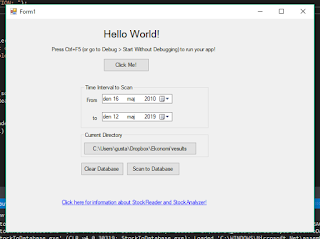
- StockReader/StockAnalyzer (C# / SQL / MSVC) - Current focus
- Creating a C# program that scans a folder for result files, extract stock records and parses the data to a database. I've got some experience with Microsoft Visual Studio by now and I'm still learning...
- Next step will be to fix issues with data conversion to SQL
- After that, I'll explore some Machine Learning algorithms and check if I can predict stock price changes based on key numbers.
- ApartmentPredictor (Python) - Done
- A Python script that made Linear Regression Analysis of past apartment prices in an area. The predictions were based on the apartment size and the monthly cost.

- Machine Learning Course at Stanford (Octave / Matlab) - Done
- I successfully attended and finished the course in Machine Learning from Stanford University.
- I applied some machine learning for a pet project for a friend. The simulations indicated that the result was random to a very high degree,
- TravelTimeCalculator (Java / SQLite / Android Studio) - Done
- I've completed the project now. TravelTimeCalculator allows the user to compare travel time/cost between several positions on a map. They can also customize the travel cost to consider both travel time, economic costs and environmental cost.


- Work (C / Python / 4G / 5G) At work, I've focused on test and some coding for 5G with focus on antenna calibration.
To Do in 2020:
Prio 1: The New House!
Prio 2: StockReader/StockAnalyzer


