Showing posts with label WSL. Show all posts

Saturday, 11 July 2020

StockAnalyzer: Chasing errors

The work on Stock Analyzer will focus on two tracks in parallel:

  1. Fixing existing data to fit into the database (Scope of this blog post)
  2. Visual the data that is in the database
I see errors when the program is trying to parse values to the database. For example:


2017-06-05 - 2017-08-14: Unable to parse '2017-08-15'. 
2017-08-19 - 2017-11-01: Unable to parse '2017-11-07'
2017-11-06 and later: Unable to parse '2018-02-22'

The issue is that the program tries to parse a date into an integer since the date is on the wrong position in the file.

The first step is to check which stocks it could be that has the faulty data. I can easily do that using grep in my WSL2 environment on my Windows 10  computer.
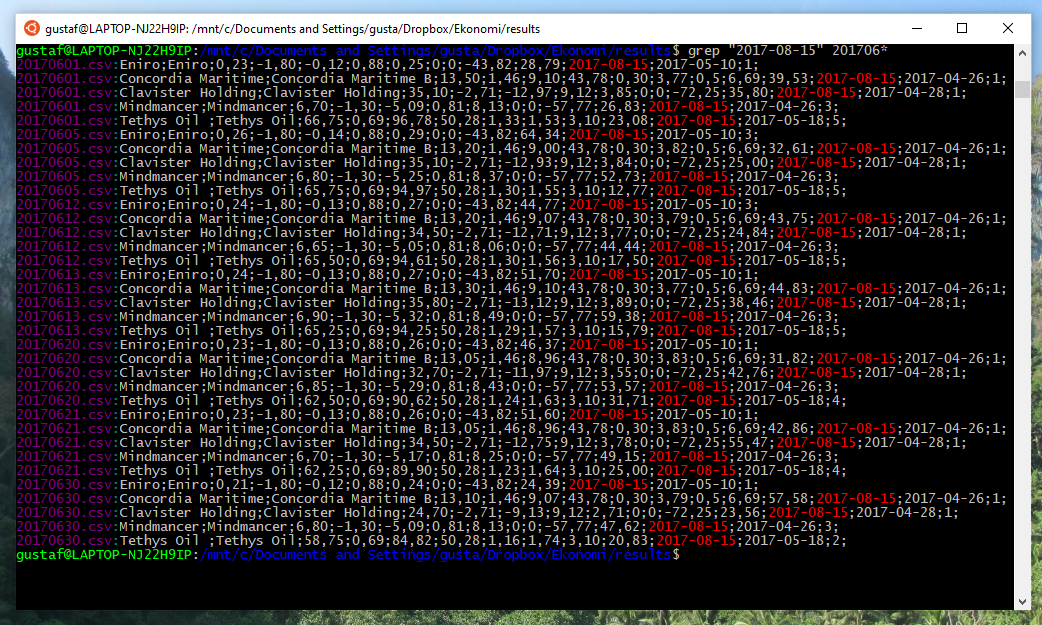
The faulty data for June contains the string "2017-08-15".
This string is found in the following stocks:
Eniro, Concordia Maritime, Clavister Holding, MindMancer and Tethys Oil 
When importing the different stock records to a spread sheet to see which of the stocks are faulty.

Tethys Oil seems to have some missing data.
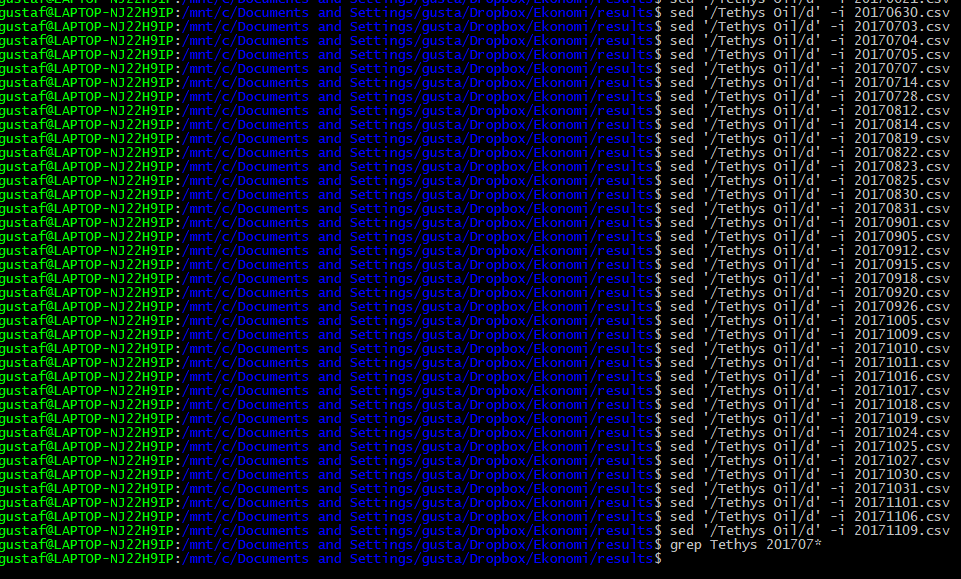
I did some maths on the remaining data to check if it is possible to recover the missing bits, but it wasn't. I'll simply remove the records for Tethys Oil for the missing period of time. A new grep instance gives:

This means that the stock records for the company Tethys Oil are corrupted between May 9th, 2017 and November  9th, 2017. Now, I want to remove those lines for the files ranging from 20170509.csv up to 20171109.csv.

For a given file, it is easy to remove lines containing "Tethys Oil":
sed '/Tethys Oil/d' -i file.txt
To identify the files in the desired age span, I tried to find a way to do lexicographic comparisons of the file names in the bash shell. It turned out not to be trivial, so created a Python script instead. 

The output are commands that removes all lines containing Tethys oil from the files in the interval. After pasting them to bash, the erroneous lines has been removed from the files.


Saturday, 27 June 2020

Linux: Windows Embracing Ubuntu

In the past, Microsoft has had an reluctant view on its competitors, such as the Linux and open source communities. Linux has put in huge effort to make it Windows-compatible, but those efforts hasn't been mutual.

Over the last years, Microsoft has changed its approach to the open source community. I assume that it is a pragmatic decision - Windows is still dominating the desktops, but nowadays there are many more areas where Windows hasn't been able to compete with Linux, such as servers, smart phones and embedded systems.

Windows Subsystem for Linux
A couple of years ago, Microsoft introduced Windows Subsystem for Linux. It is a compatibility layer that makes it possible to run a Linux distribution inside a virtual machine in Windows (WSL 2). Currently, it is configured for command-line applications only, but there are web sites describing how to setup an X- server for WSL 2.

As it is possible to reach all files in Windows from the Linux VM, and also to reach the home folder from Windows, it is easy to modify files and scripts.

Installation
Microsoft has an excellent installation guide for WSL.
  1. Ensure that you are using a new version of Windows 10. You want to have Windows build 18917 or higher to run WSL 2.
  2. Enable Viritualization on the computer. In my case, those settings were already enabled. 
  3. Enable Windows Subsystem for Windows. In Power Shell, run:  Enable-WindowsOptionalFeature -Online -FeatureName Microsoft-Windows-Subsystem-Linux
  4. Install WSL 2 from PowerShell
  5. Install a Linux Distribtion of choice from Microsoft Store
  6. Wait for Microsoft to develop GUI support on WSL 2
In Linux, Windows drives can be found at /mnt/ . In Windows, the root of the Linux file system can be found at \\wsl$\<distribution name>. In my case. the distribution name is ubuntu.  More info here.

Roadmap for WSL
Microsoft has announced that they intend to add support for GUI apps on WSL 2. That will be very useful.

Embrace. Extend and Extinguish?
There is a discussion about whether WSL is a way for Microsoft to embrace Linux in order to take over it. Even I have had concerns and some hostility towards Microsoft in the past, but in this case, I am not to concerned. My understanding is that Microsoft has had a change-of-hearts towards Linux.

Adding WSL/Linux is a way for Microsoft to stay relevant and prevent developers from leaving Windows entirely.


After all, WSL 2 introduced a full Linux kernel (WSL was a translation layer). This is a step towards more Linux.

Linux is still dominant when it comes to servers, embedded systems and Android. Microsoft had an attempt to enter the smartphone market but gave up its development in 2017.

UNIX/Linux has a strong position as a development environment, and as Linux distributions are getting more user friendly, and as applications are moving to web servers, Microsoft may face a challenge to keep people and developers to stay on their platform. Allowing the user to have both may be one way to keep the users. Simplifying Linux on Windows is an important step for Microsoft to stay relevant for developers.

Time will tell what influence Microsoft will have over the Linux ecosystem.